Welcome to use BEEPRT printer:
TIPS:
If the video fails to load, copy the link to your browser.
https://youtube.com/shorts/u-Jc-5eDYeQ
1. As shown in the picture, install the label paper.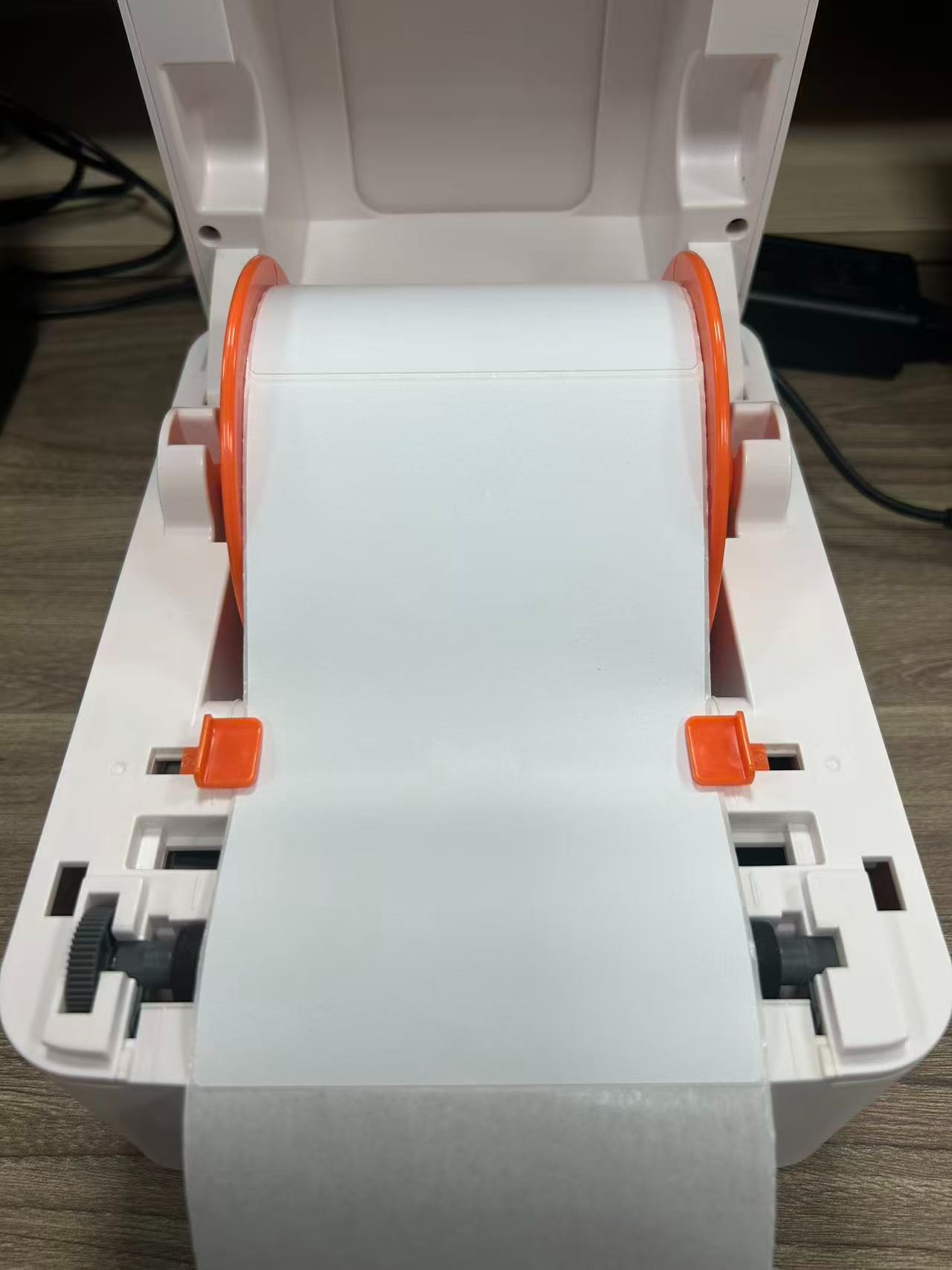
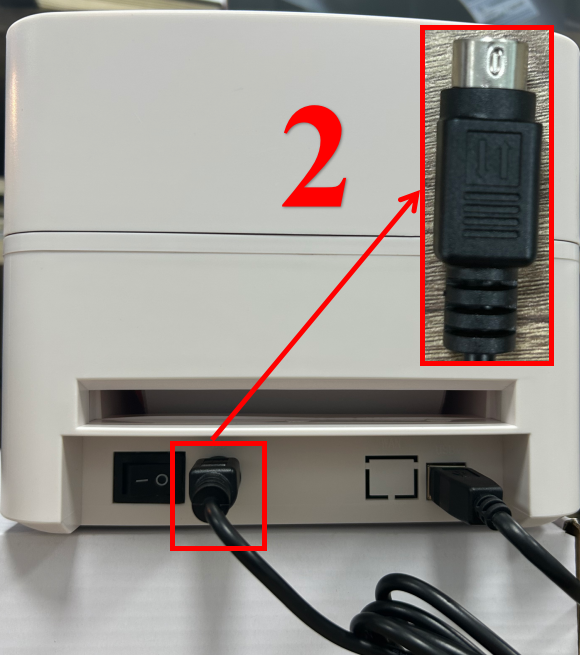
2.Please ensure the printer is Turn Off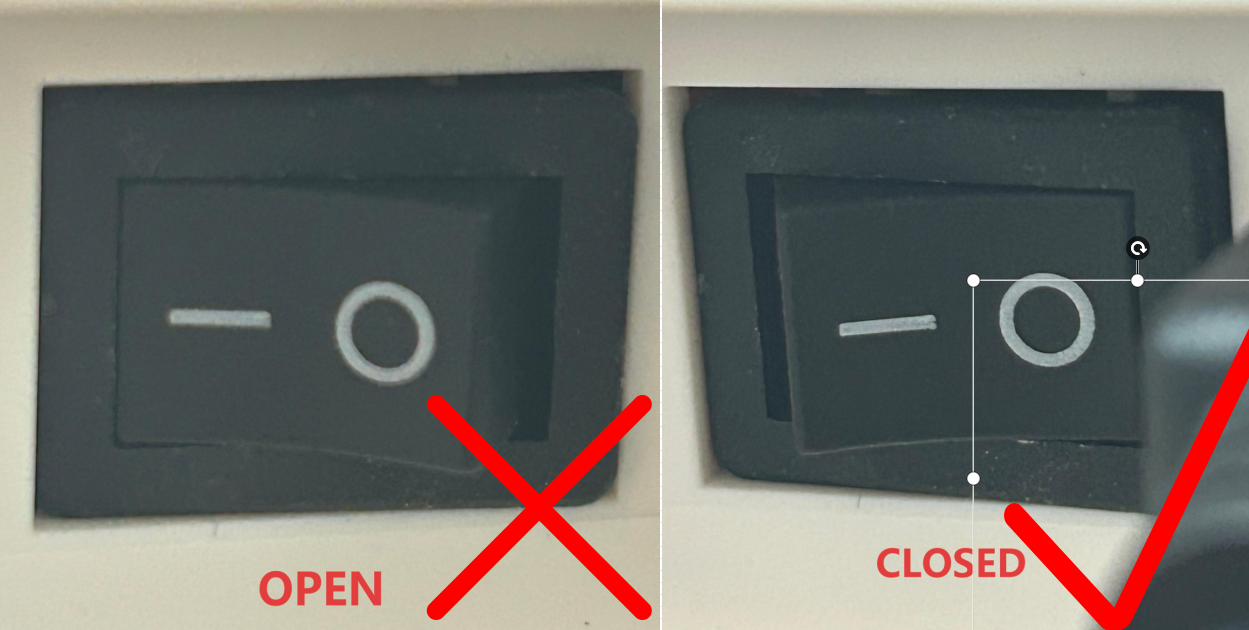
3.The printer and computer are connected via a data cable.
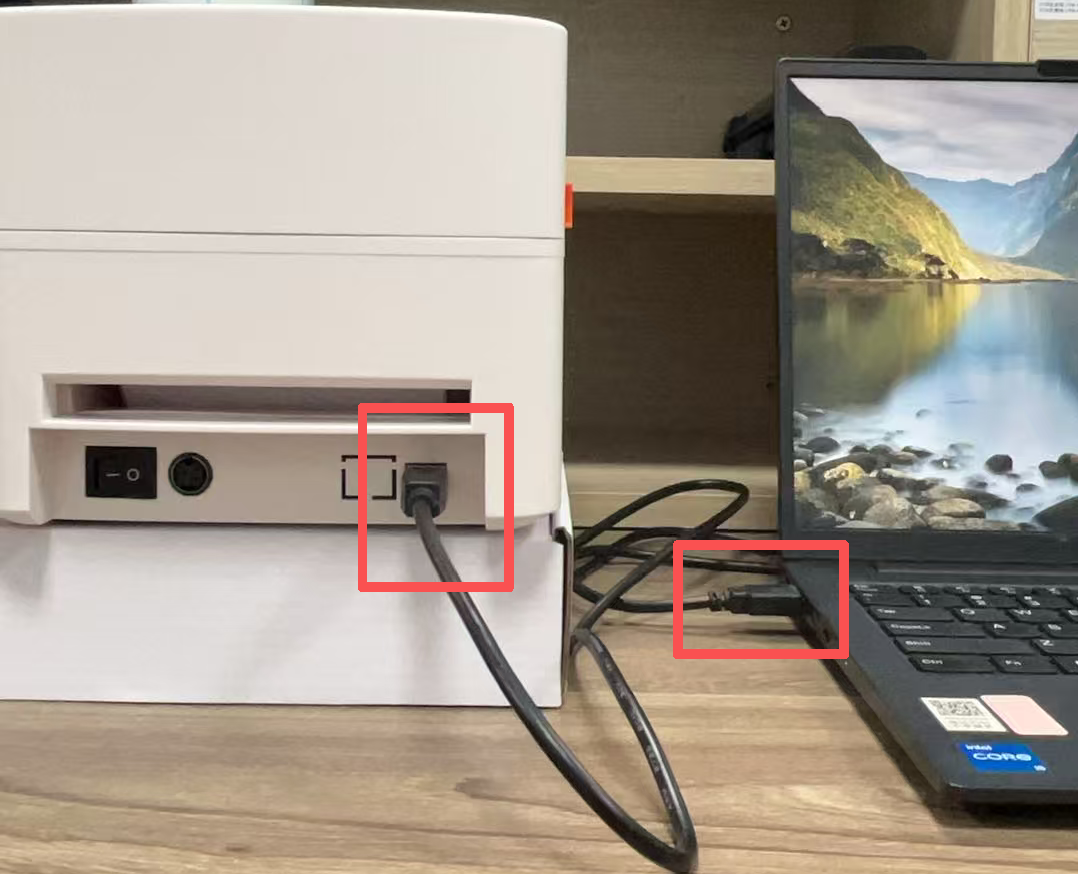
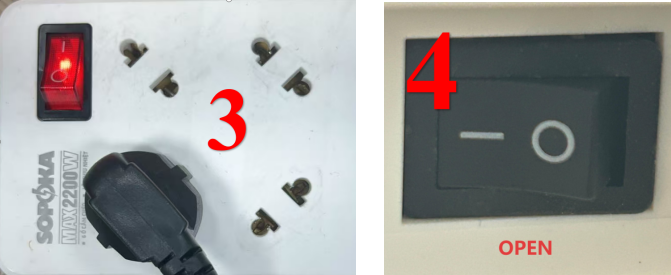
4.Connect the printer to a power source and turn on the printer power switch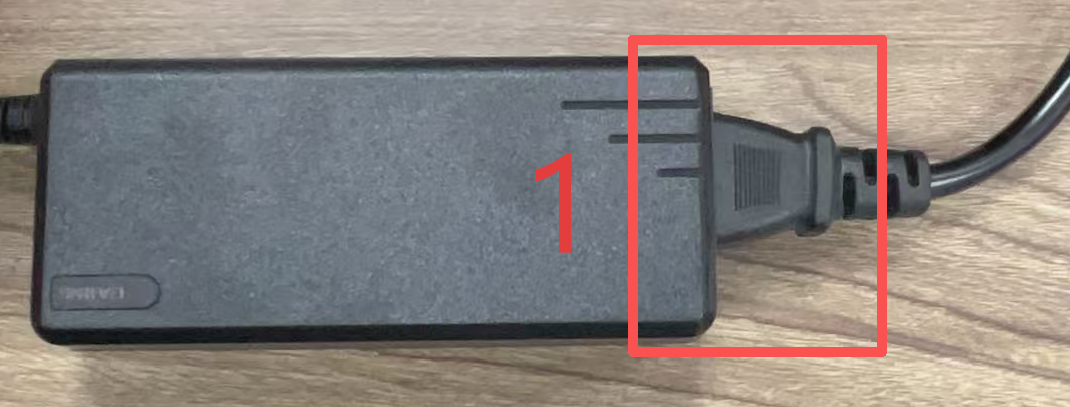
5.Print Self-test page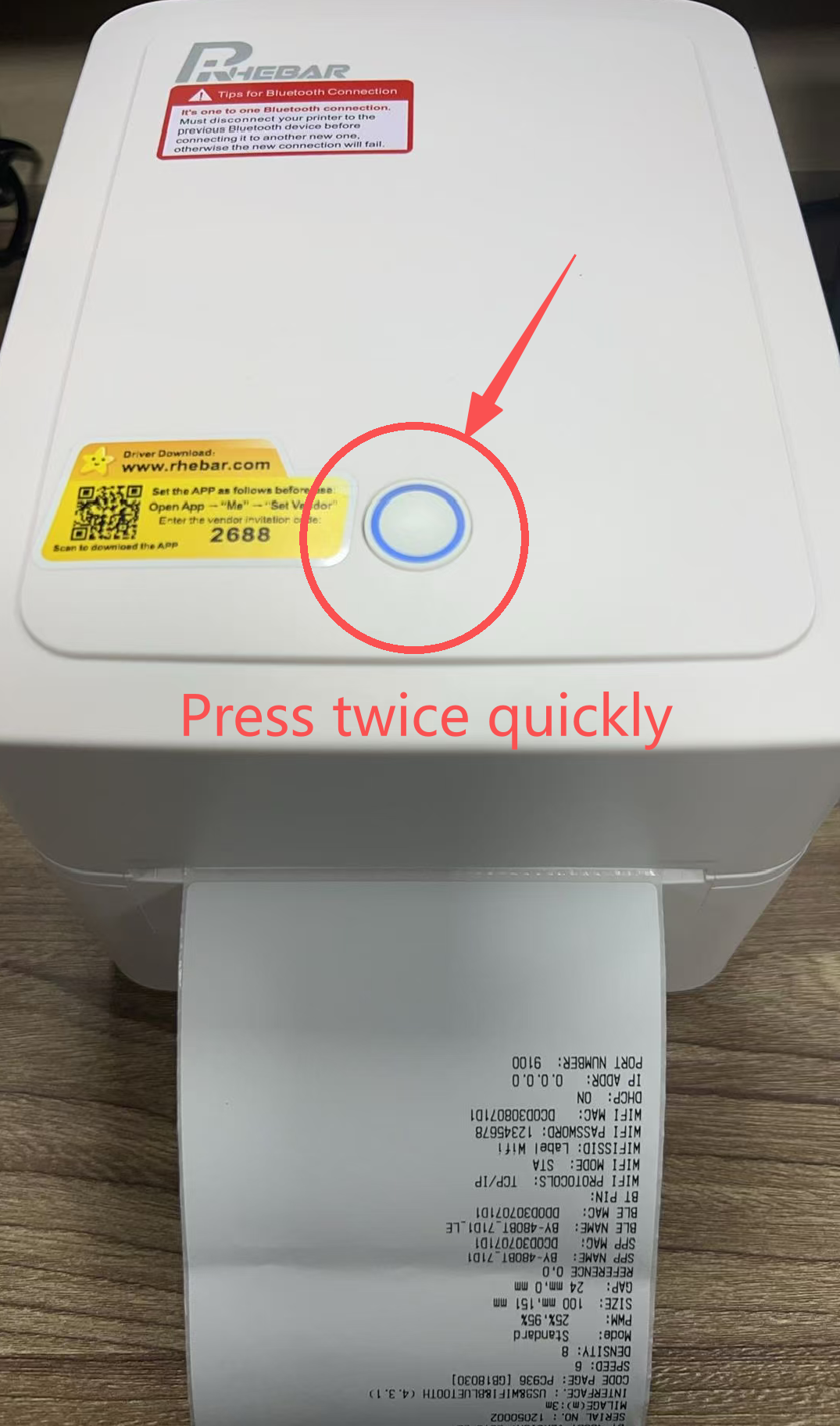
6.For driver installation, please refer to the video or the user manual below7.Download the printer driver from Button:

8.Open the driver file and follow the prompts to install the printer driver.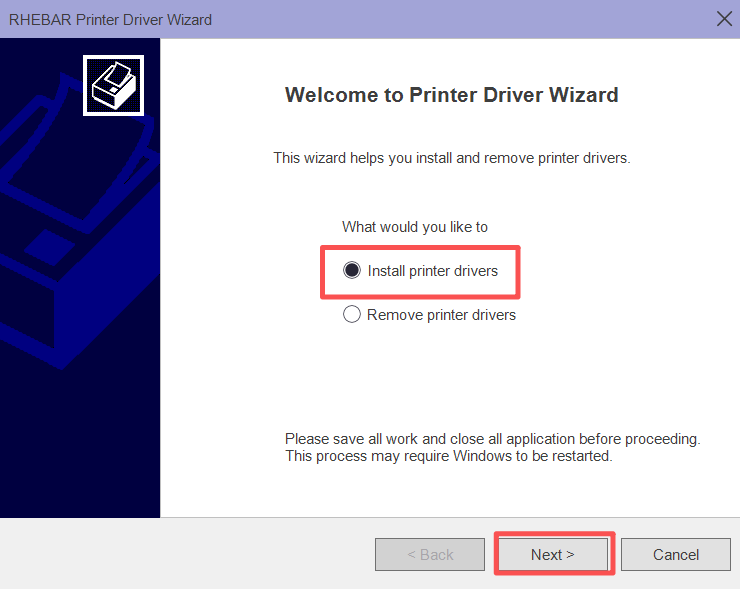
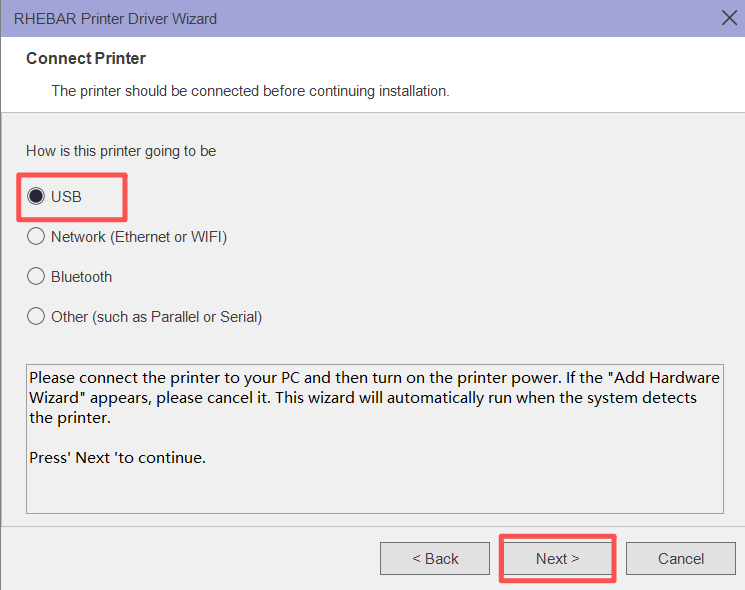
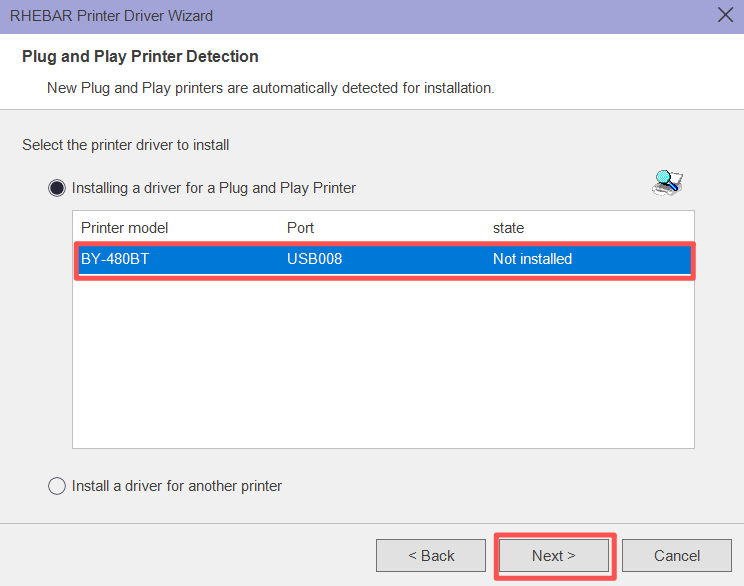
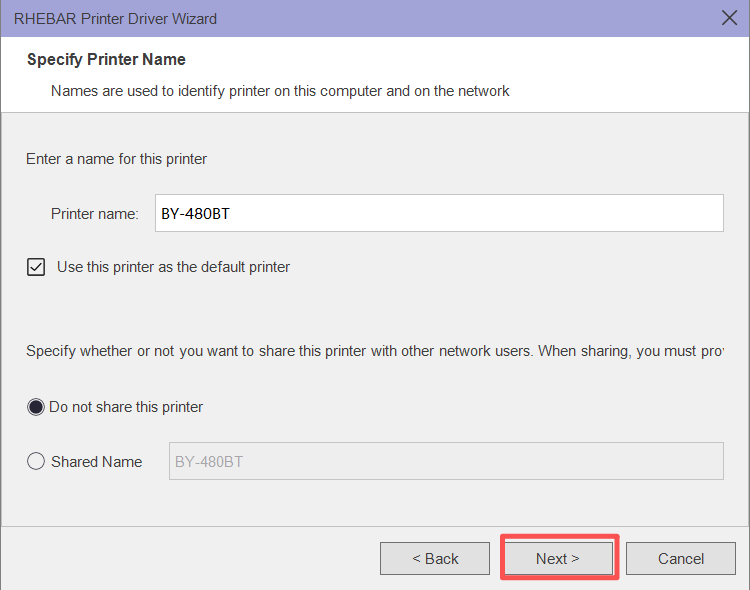
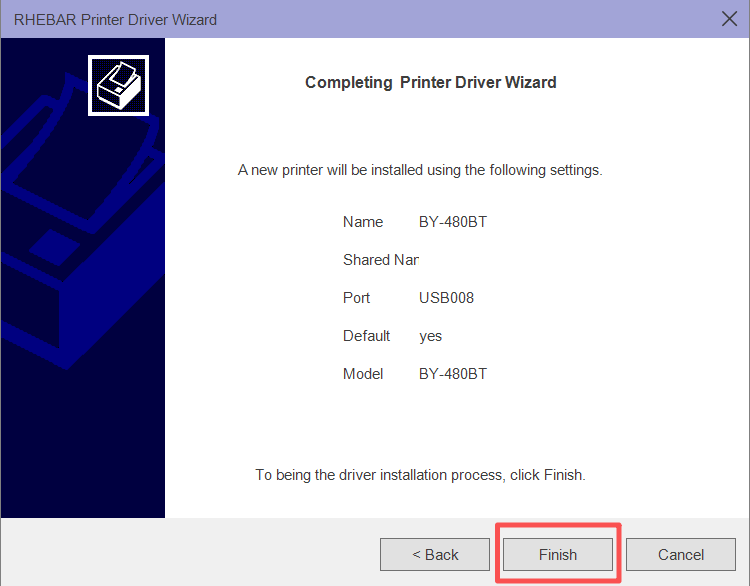
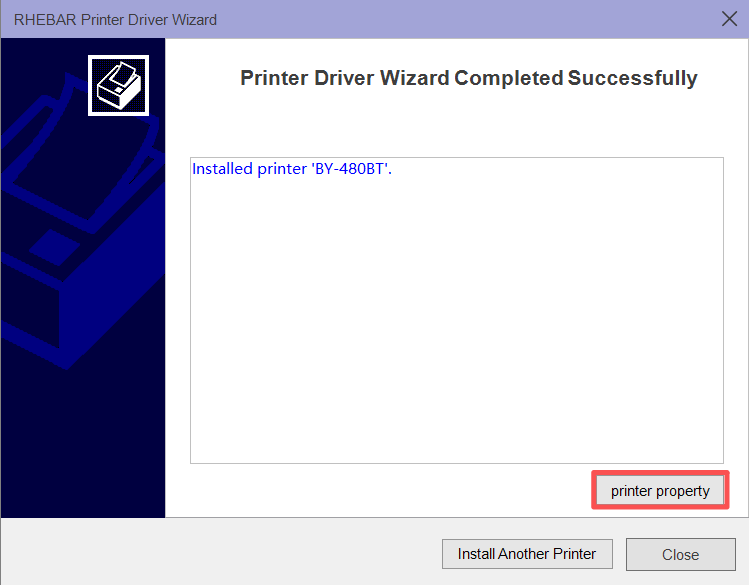
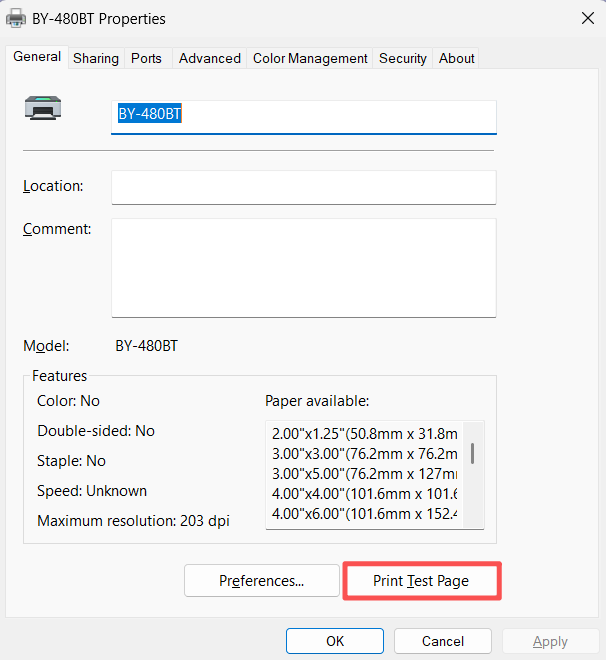
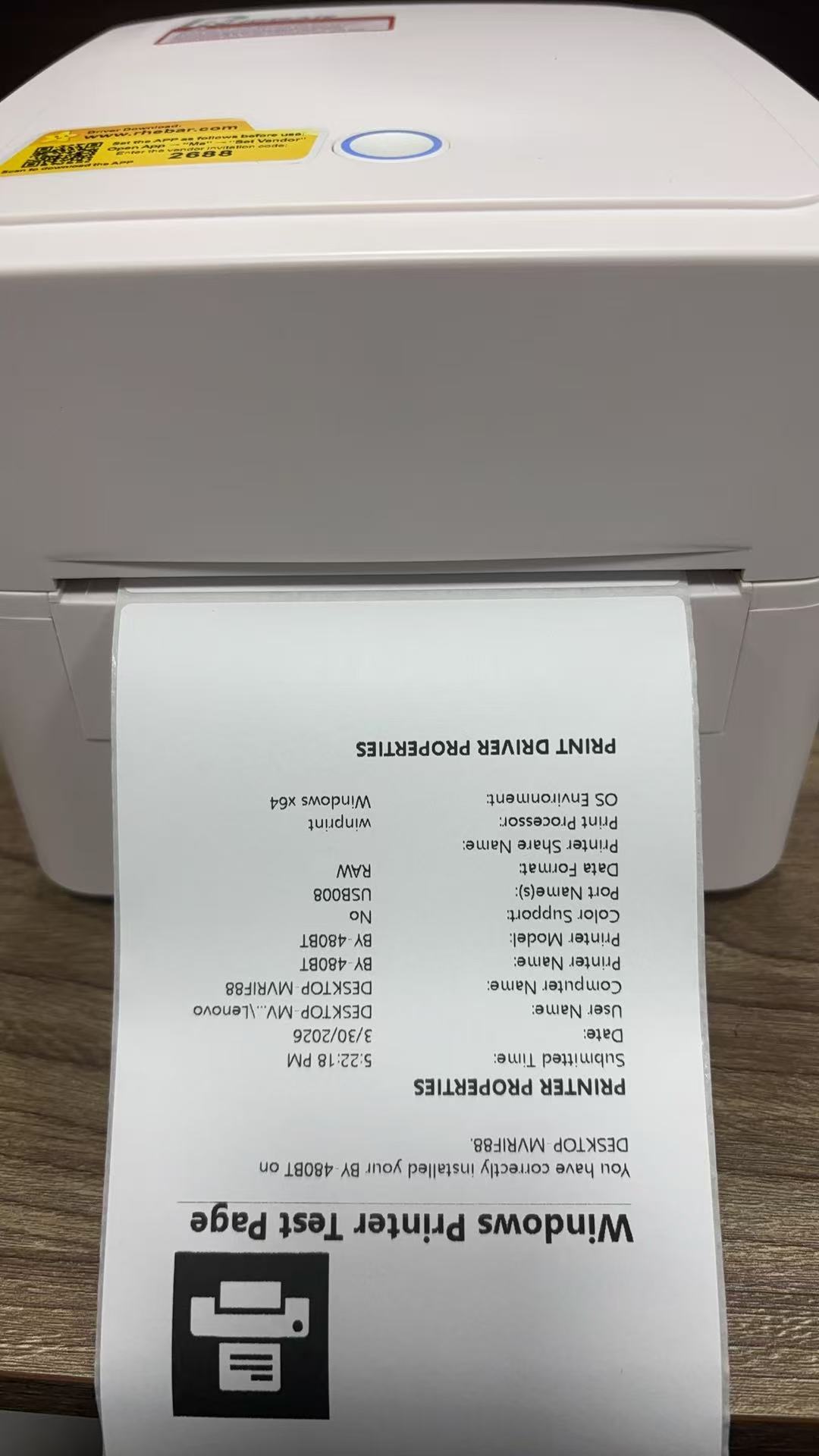
9.Now, printer driver installed successfullyWas this article helpful?
That’s Great!
Thank you for your feedback
Sorry! We couldn't be helpful
Thank you for your feedback
Feedback sent
We appreciate your effort and will try to fix the article