Selamat datang di printer Rhebar !
1. Geser tombol samping printer ke bawah dan pasang label, lalu geser penyekat kanan untuk mengunci kertas label (sisi cetak menghadap ke bawah).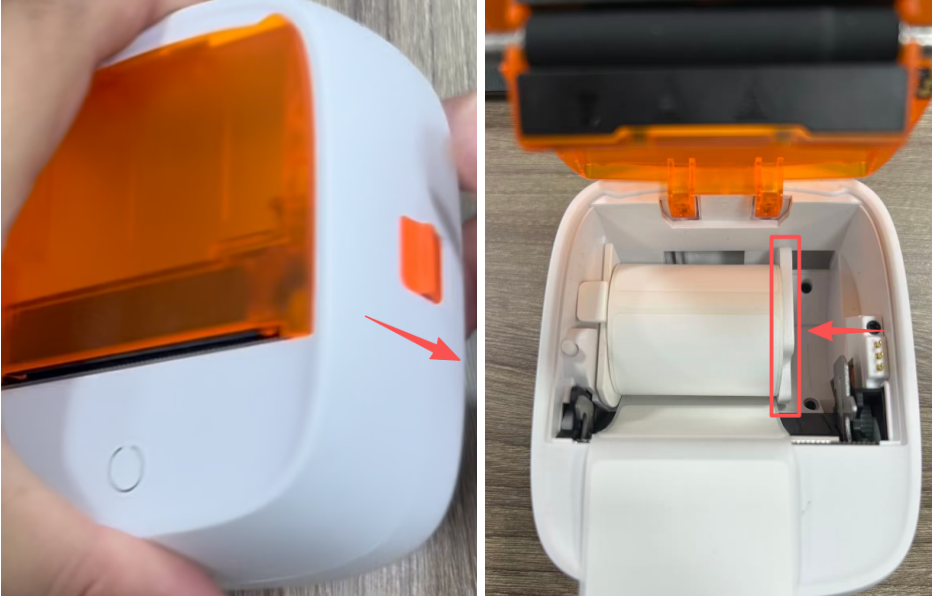
2. Tutup penutup atas dan tahan tombol atas selama 3 detik untuk menyalakan printer.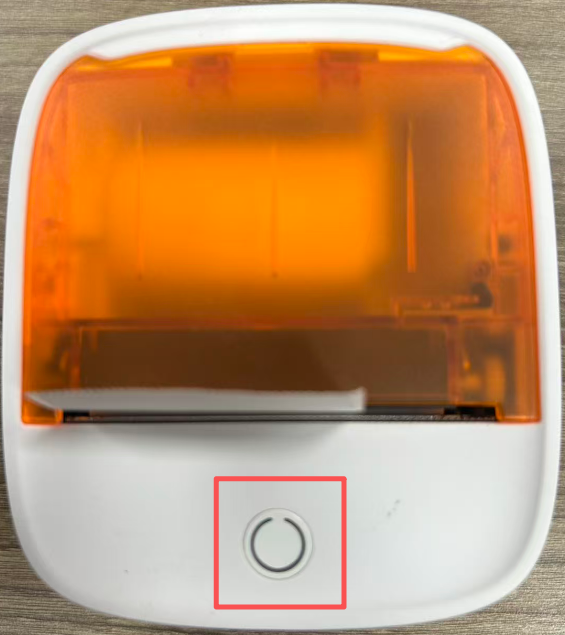
3. Tekan tombol atas sekali untuk memindahkan label ke posisi pencabutan; tekan dua kali dengan cepat untuk mencetak halaman diagnostik. Printer dalam kondisi normal.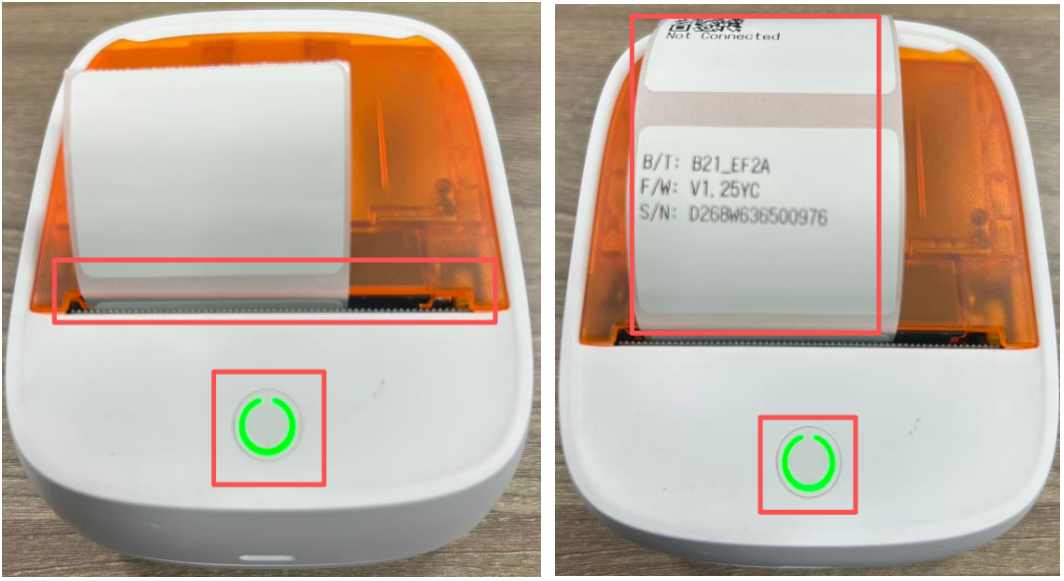
4. Unduh aplikasi 'AIYIN' dari Google Play Store atau Apple App Store, dan aktifkan Bluetooth ponsel Anda.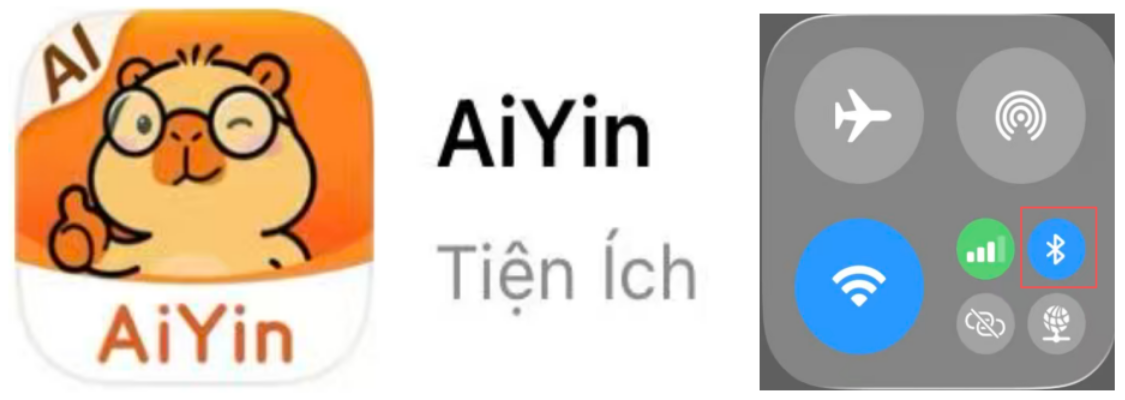
5. Sambungkan aplikasi ke printer melalui Bluetooth seperti yang ditunjukkan pada gambar.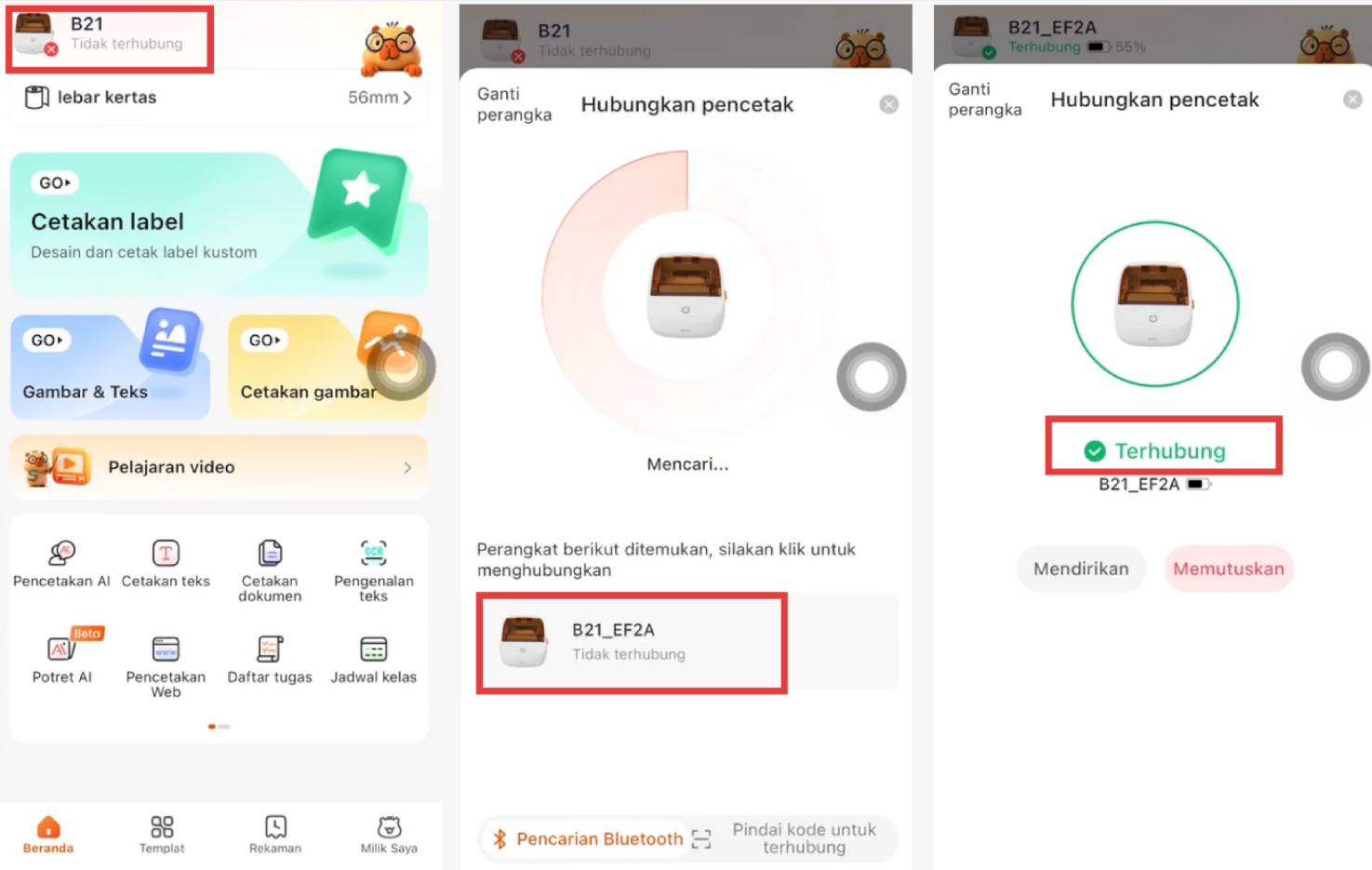
6. Pilih jenis label, ukuran, dan templat yang sesuai.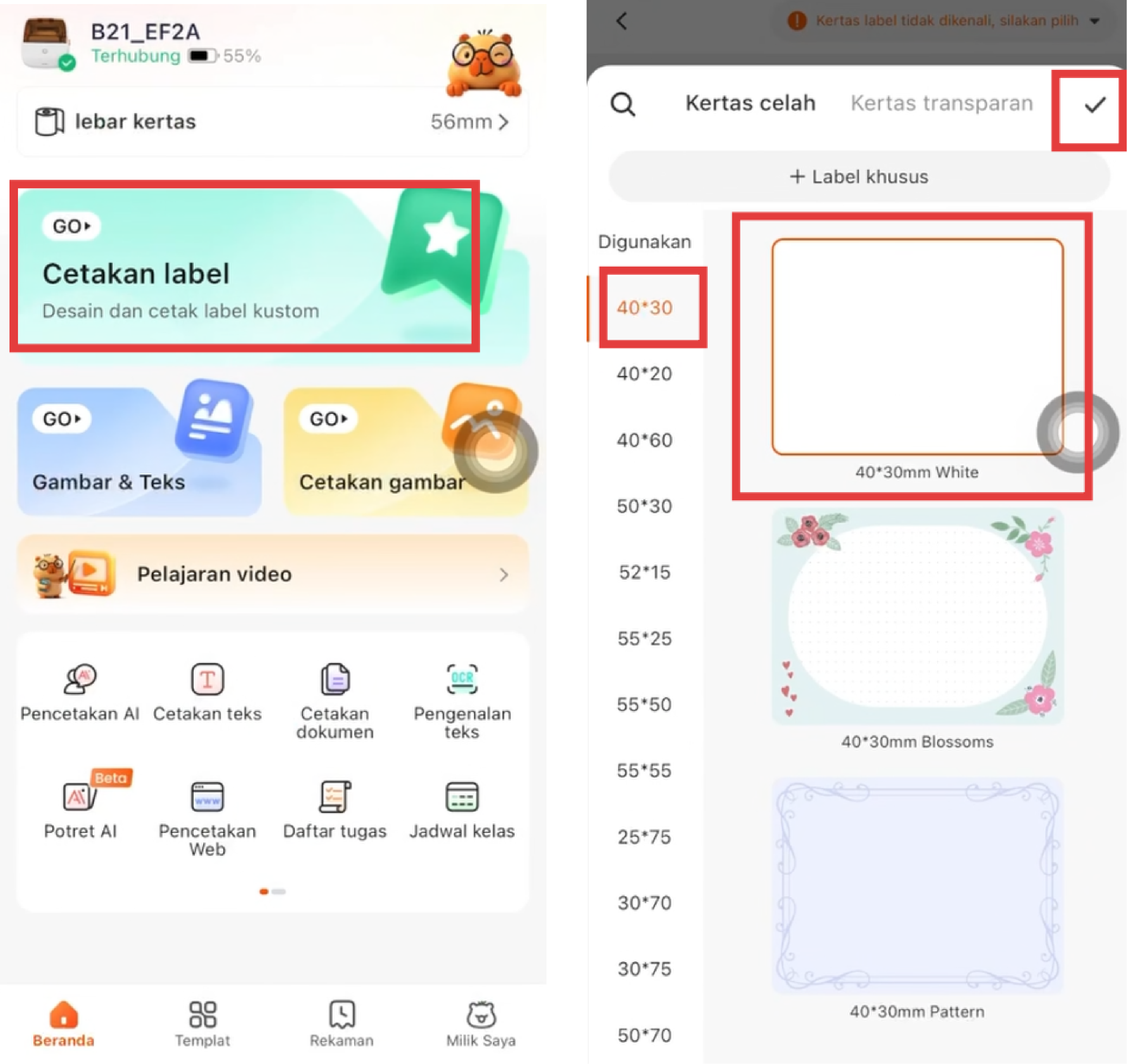
7. Ubah isi yang ingin dicetak secara bebas, lalu cetak.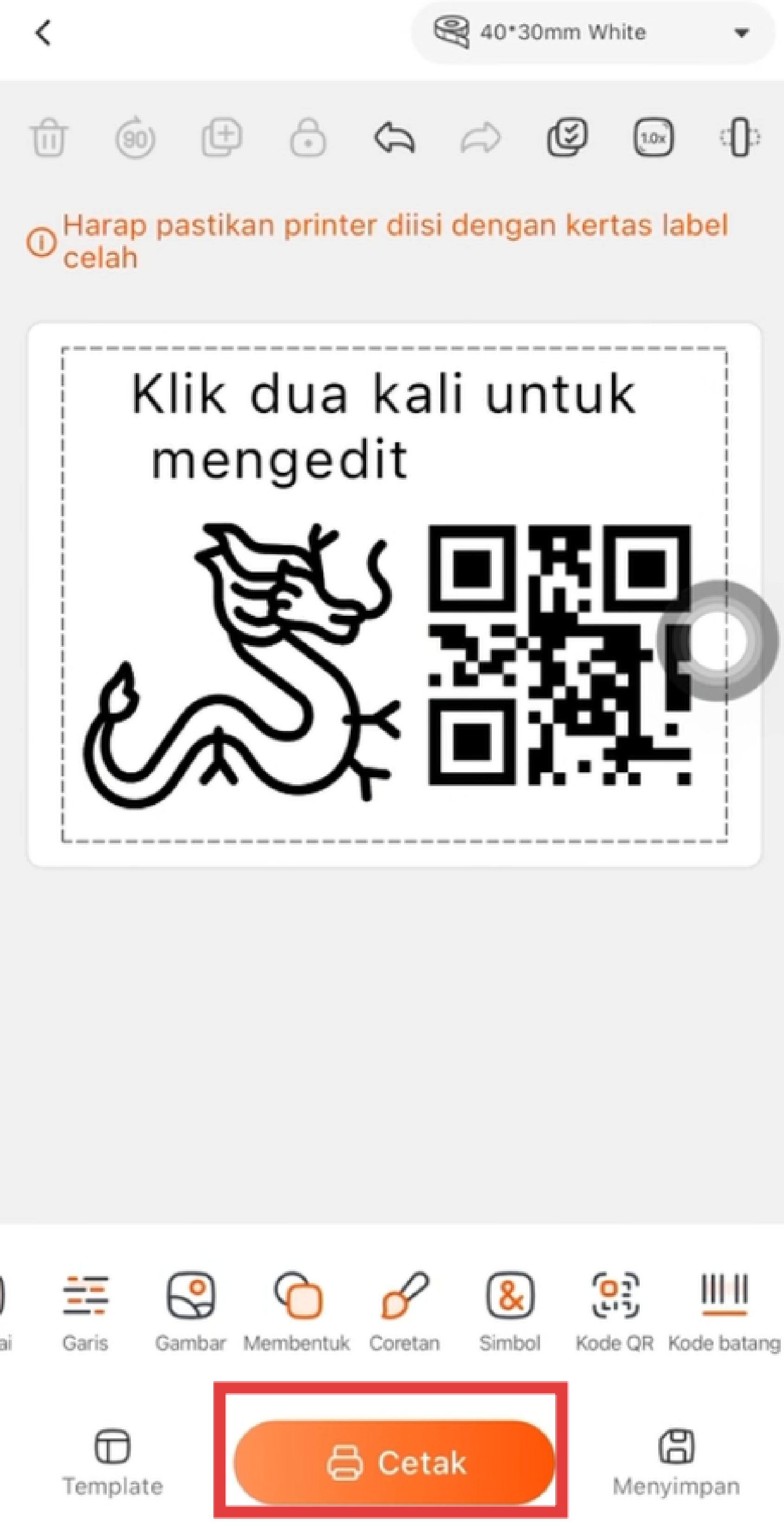
Terima kasih telah menggunakan printer RHEBAR Anda !
Was this article helpful?
That’s Great!
Thank you for your feedback
Sorry! We couldn't be helpful
Thank you for your feedback
Feedback sent
We appreciate your effort and will try to fix the article