Welecome to Rhebar:
1.Download the "Openlabel" app(from the App Store or Google Play)

2.Tap to open the app and follow the on-screen instructions.
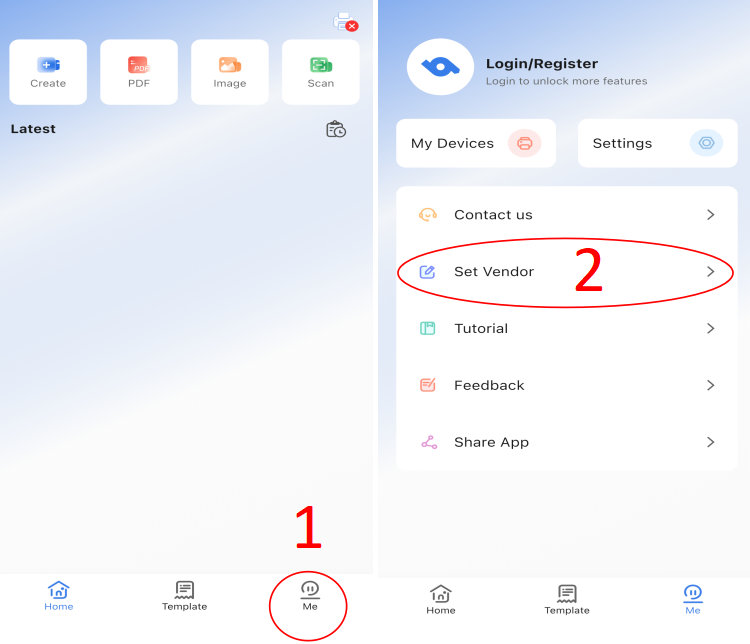
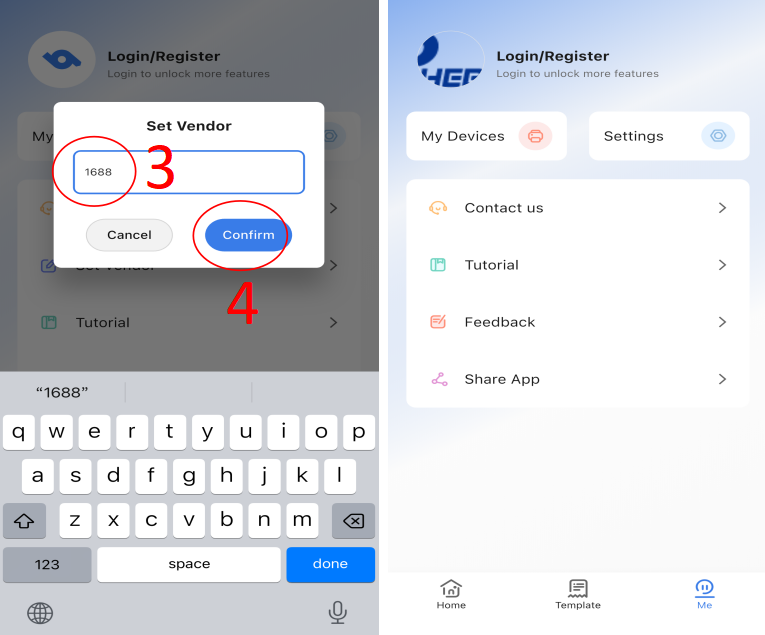
3. Refer to the video to add a watermark to the print fileTIPS:
If the video fails to load, copy the link to your browser.
https://youtube.com/shorts/IEc0WJNFCIs
Was this article helpful?
That’s Great!
Thank you for your feedback
Sorry! We couldn't be helpful
Thank you for your feedback
Feedback sent
We appreciate your effort and will try to fix the article