Welcome to the Rhebar printer!
1.Slide the top slider to the right to open the printer cover, then load the labels with the printing side facing up
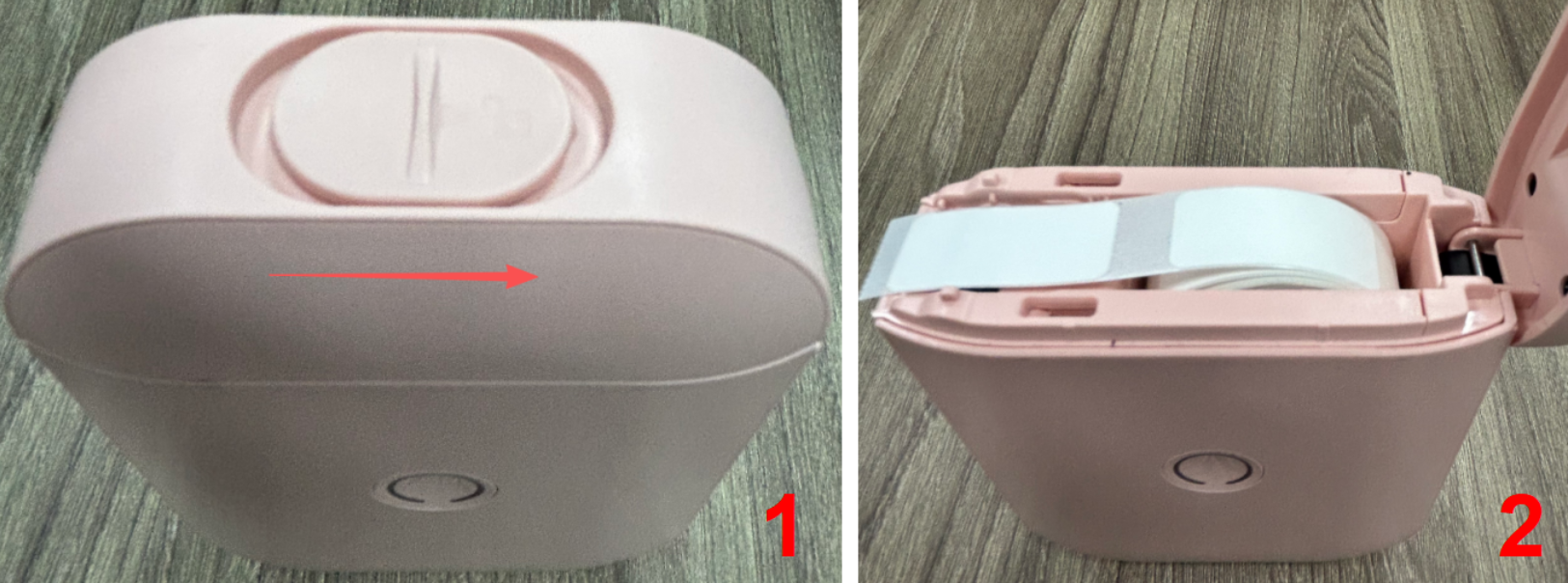
2.Close the top cover and hold the top button for 3 seconds to turn on the printer.
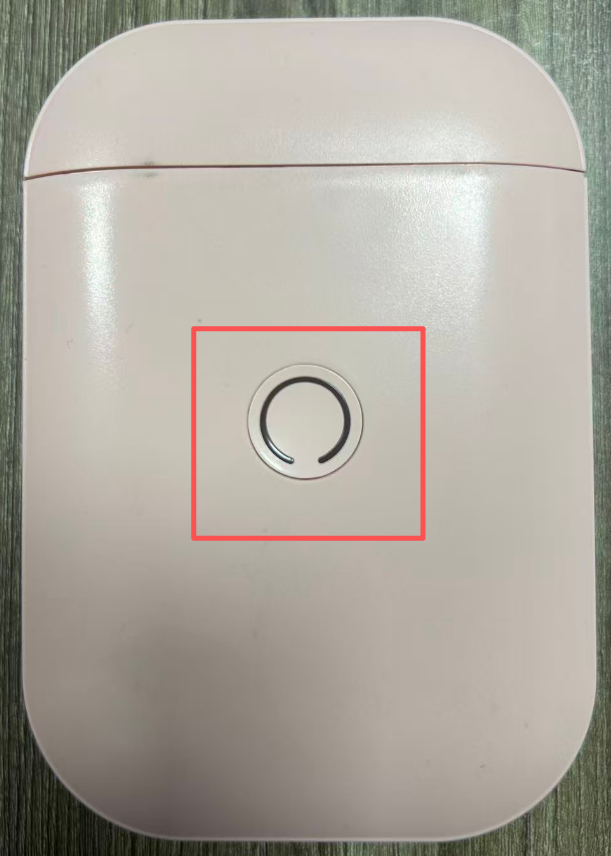
3. Press the front button once to move the label to the tear-off position; press it twice quickly to print a diagnostic page. The printer is functioning normally.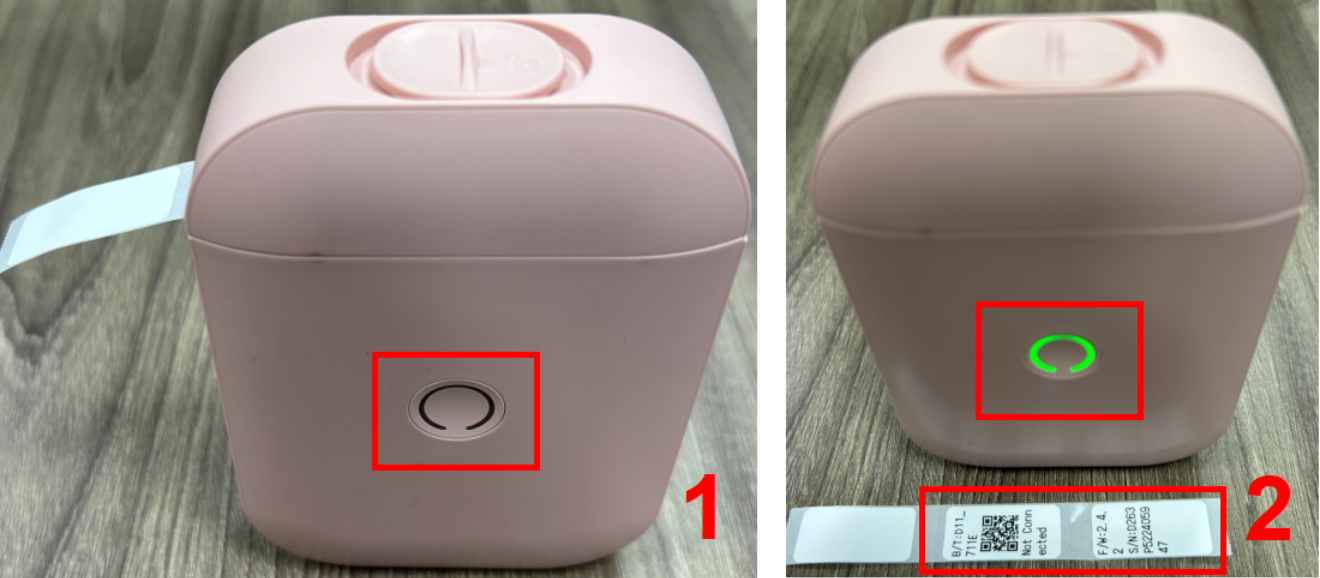
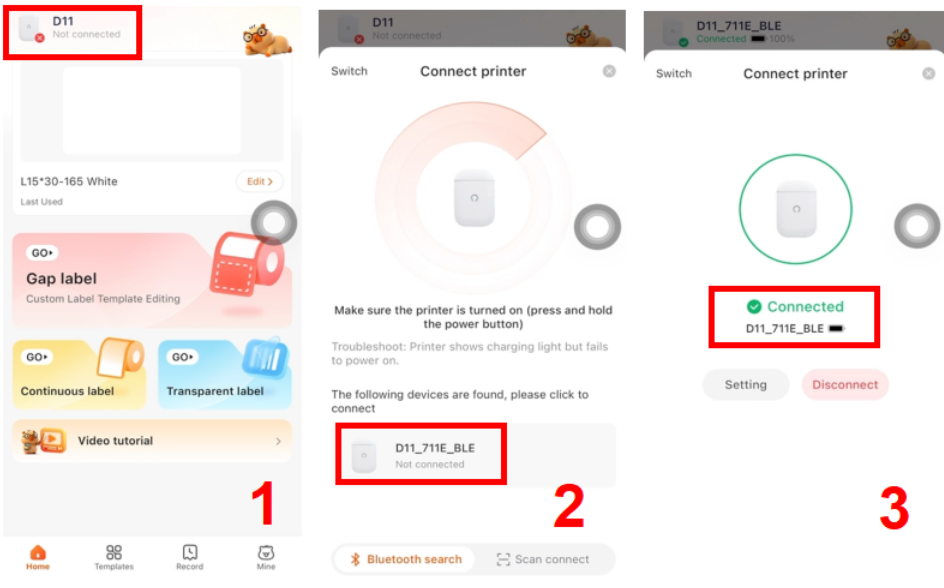
4.Download the 'AIYIN' app from the Google Play Store or Apple App Store, and turn on your phone's Bluetooth.
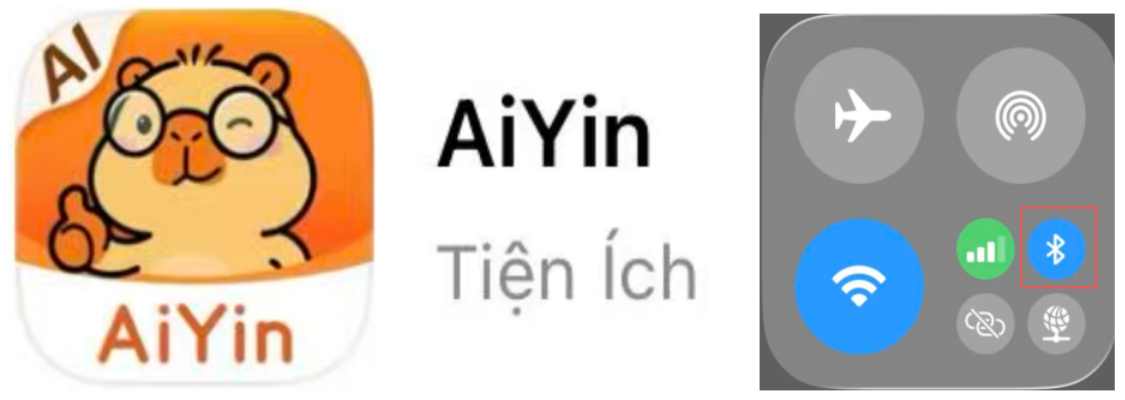
5.Connect the app to the printer's Bluetooth according to the diagram.
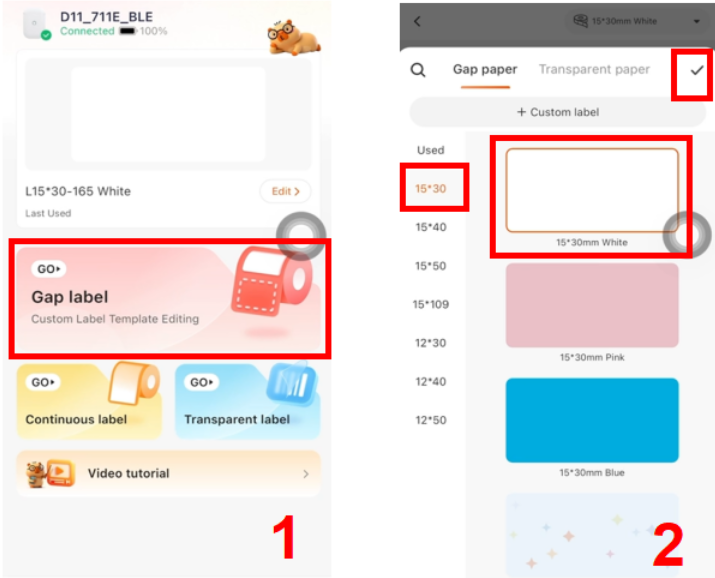
6. Select the corresponding label type, size, and template.
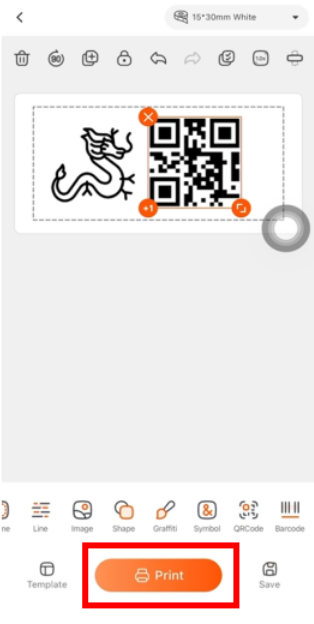
7.Freely edit the content you want to print, then print.
Thanks for using your RHEBAR printer!
Was this article helpful?
That’s Great!
Thank you for your feedback
Sorry! We couldn't be helpful
Thank you for your feedback
Feedback sent
We appreciate your effort and will try to fix the article