Selamat Datang di Printer BEEPRT:
TIPS:
If the video fails to load, copy the link to your browser.
https://youtube.com/shorts/pVtmFU0bPMw
1. Seperti yang ditunjukkan pada gambar, pasang kertas label.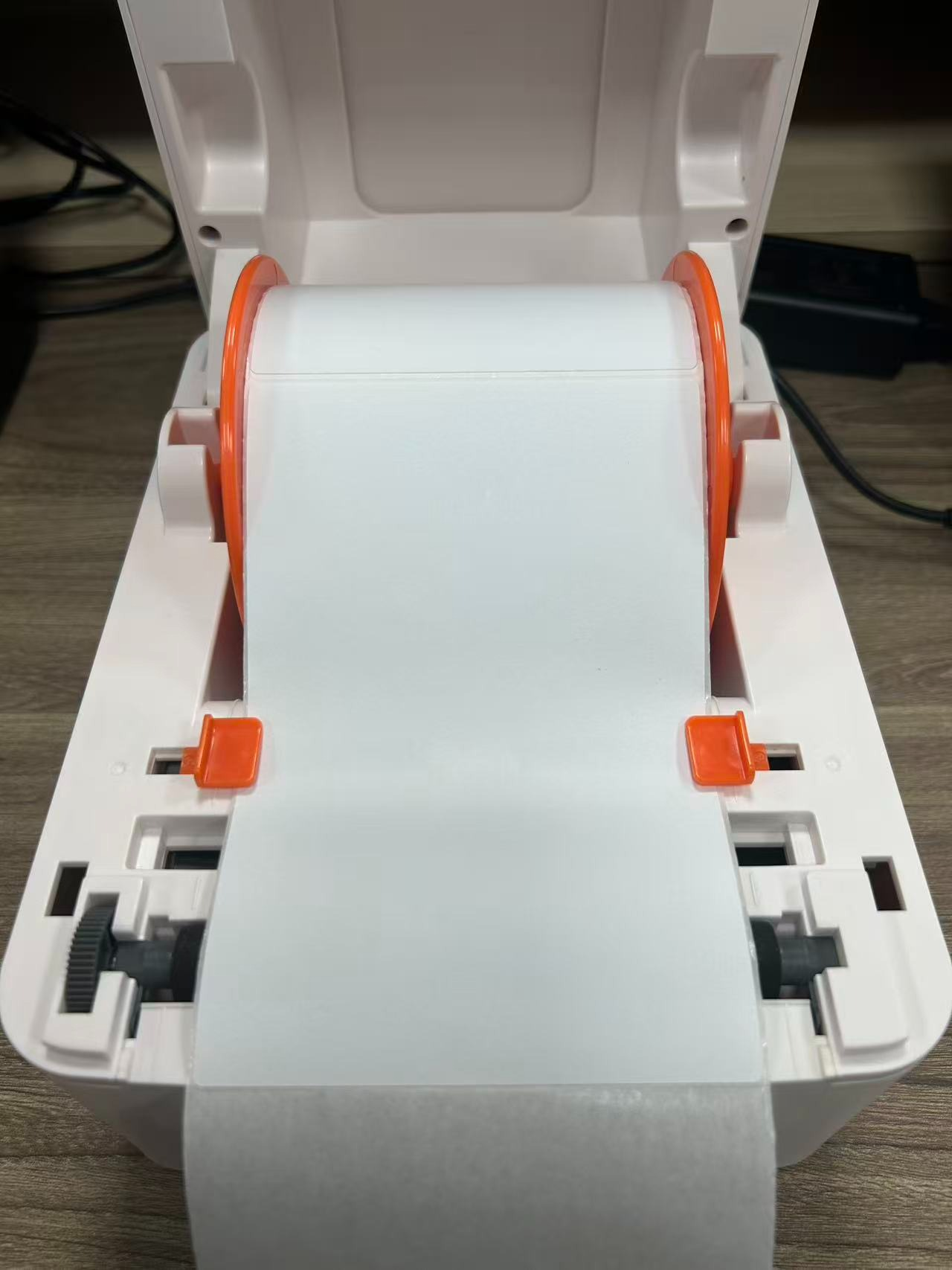
2. Pastikan printer dalam keadaan Mati.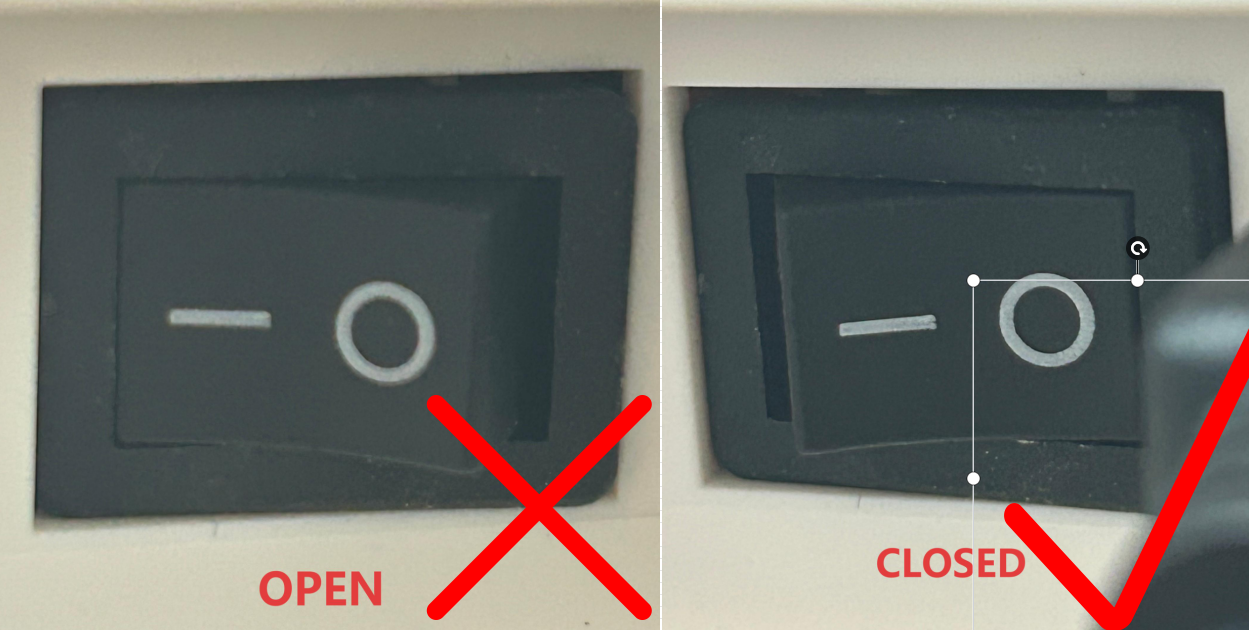
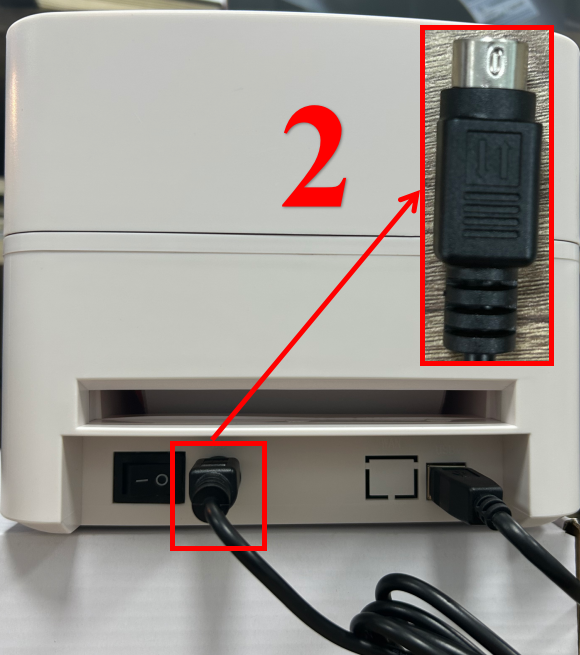
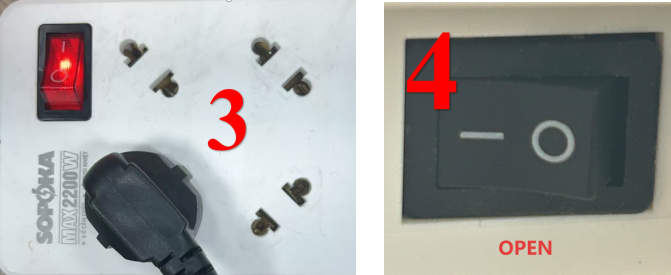
3. Sambungkan printer ke sumber daya listrik dan nyalakan sakelar daya printer.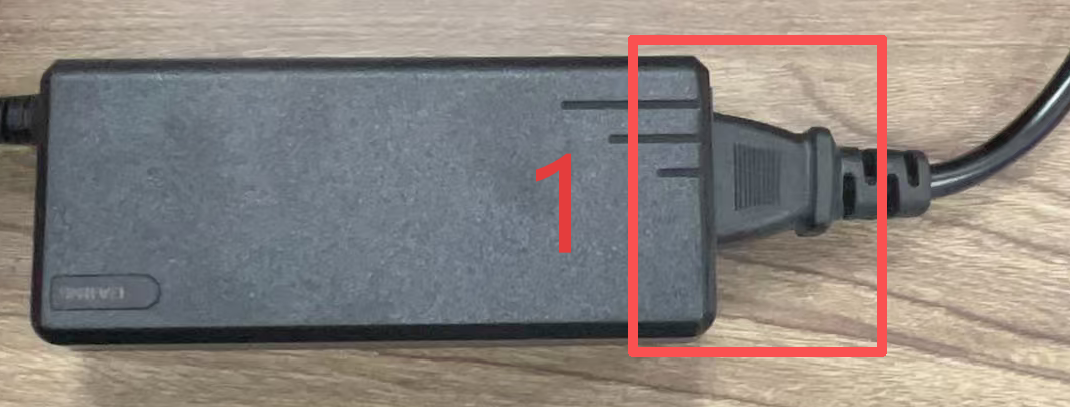
4. Cetak halaman pengujian mandiri.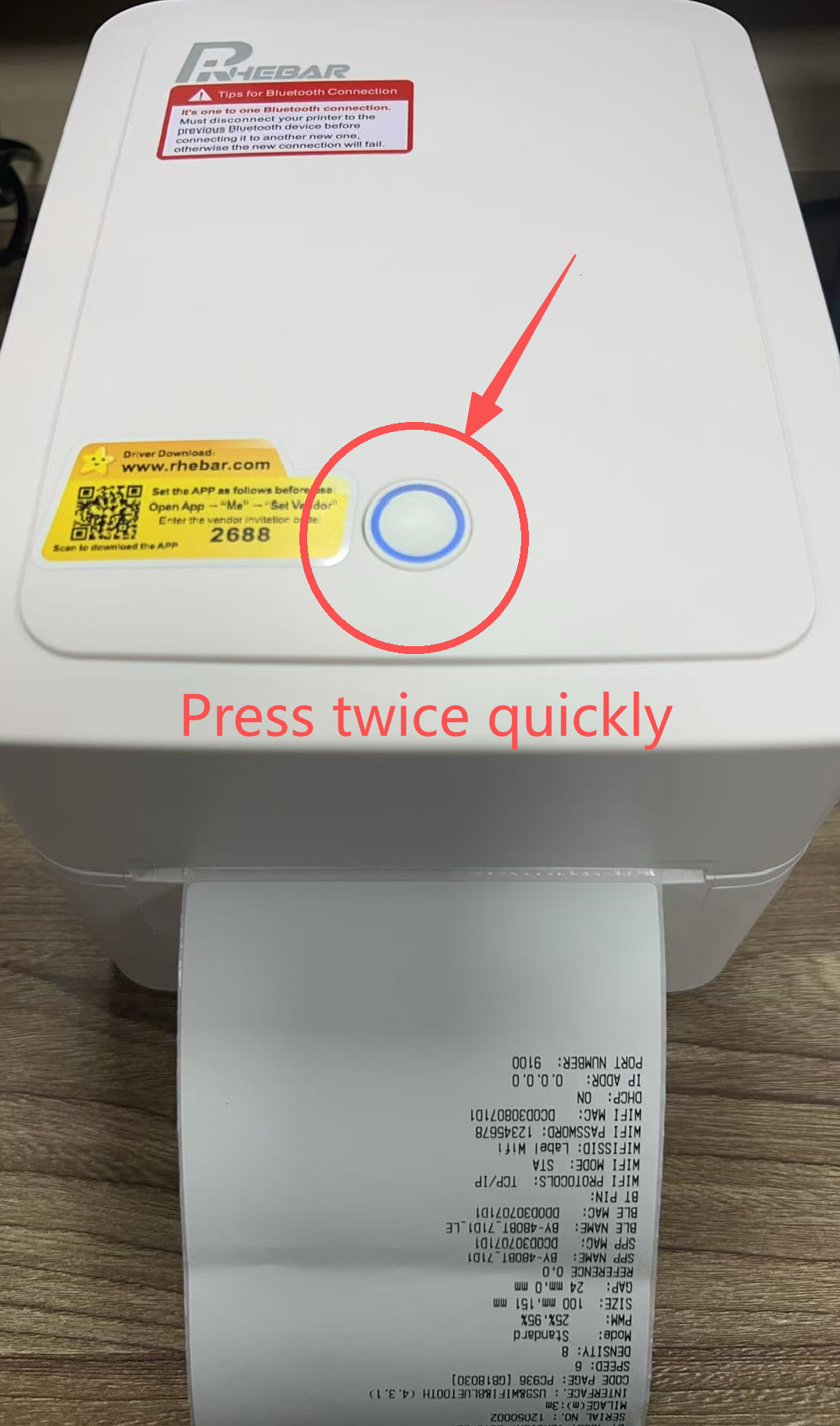
5. Untuk instalasi driver, silakan merujuk ke video atau panduan pengguna di bawah ini6.Download the printer driver from Button:
7. Buka file driver dan ikuti petunjuk untuk menginstal driver printer.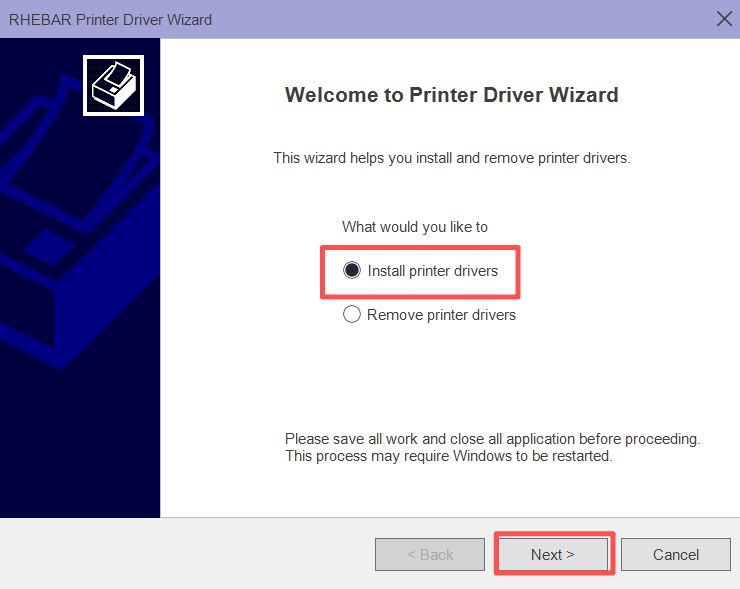
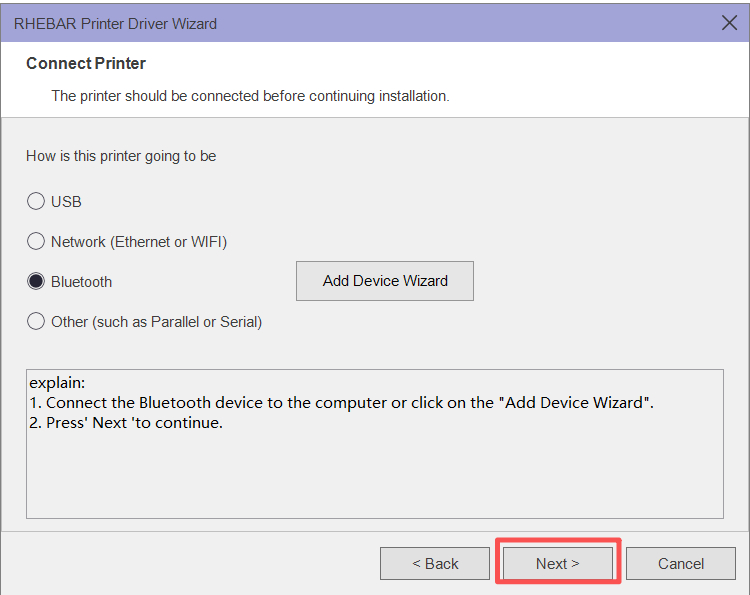
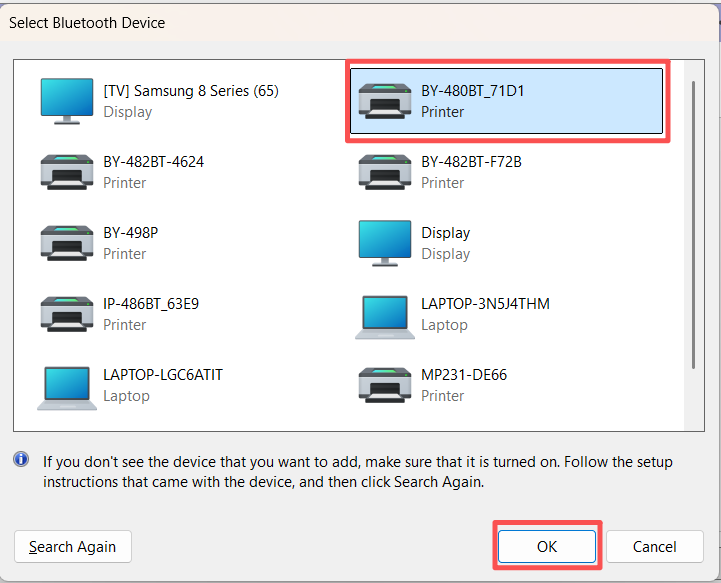
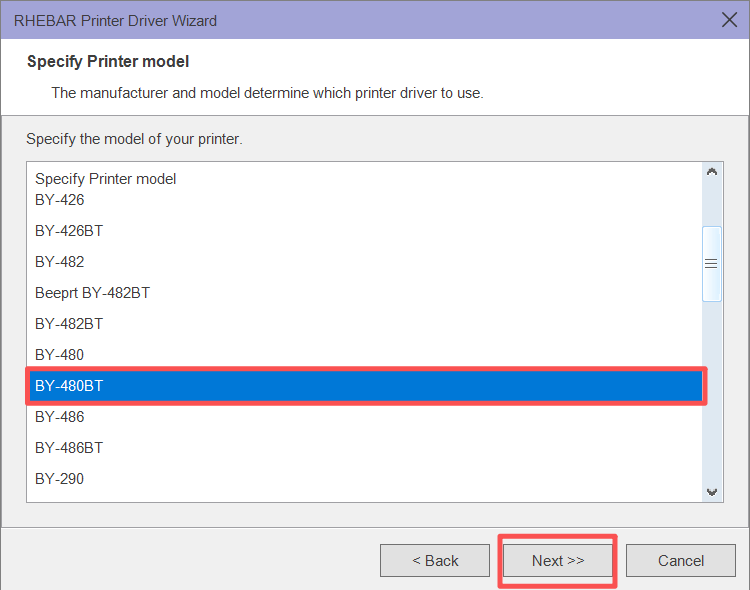
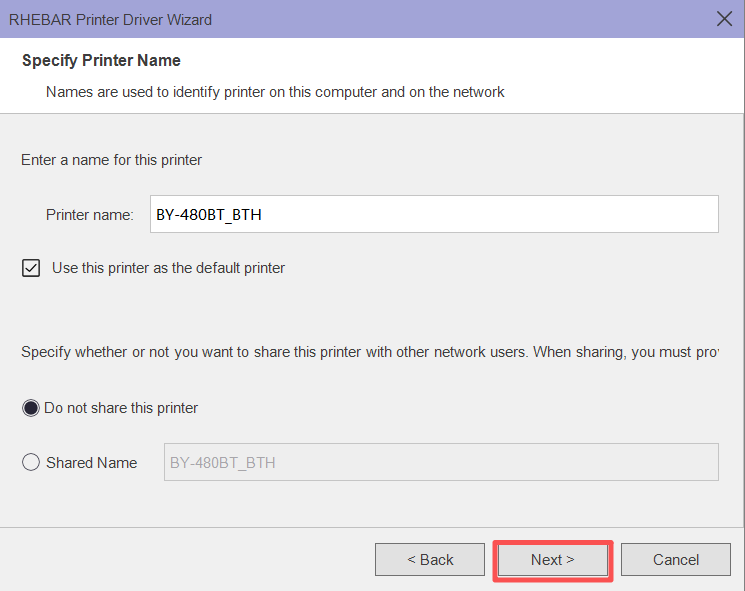
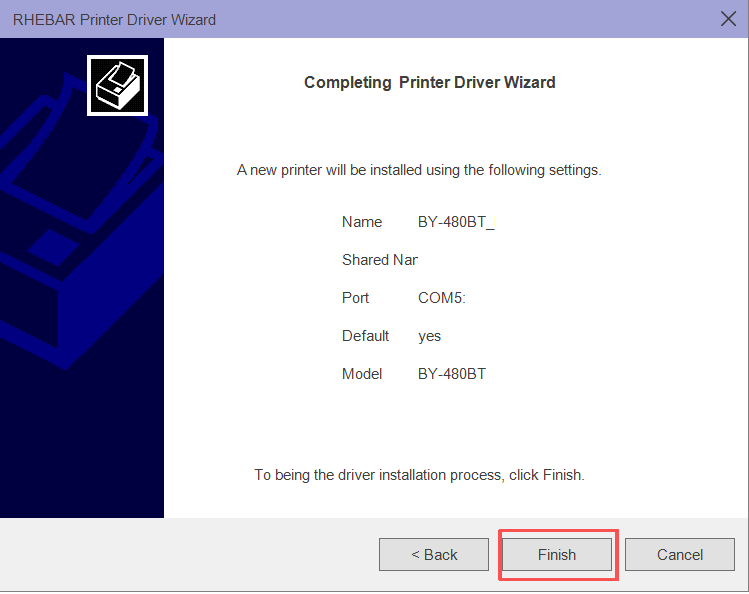
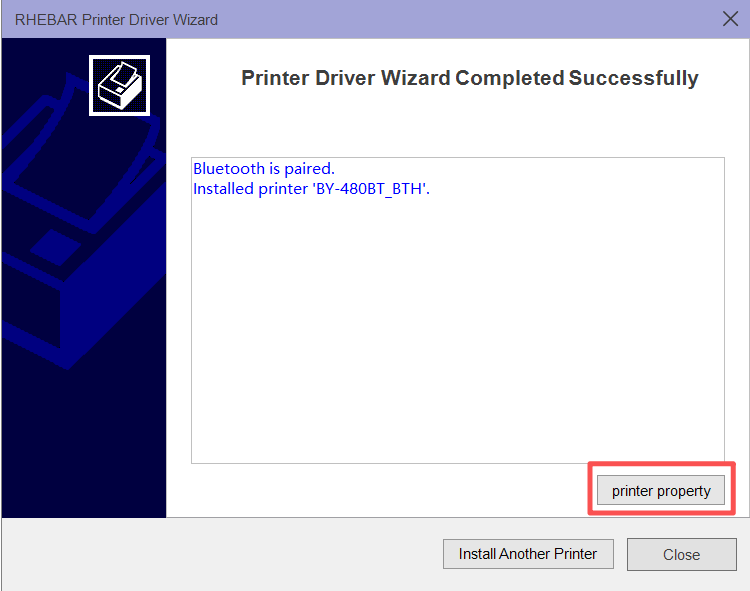
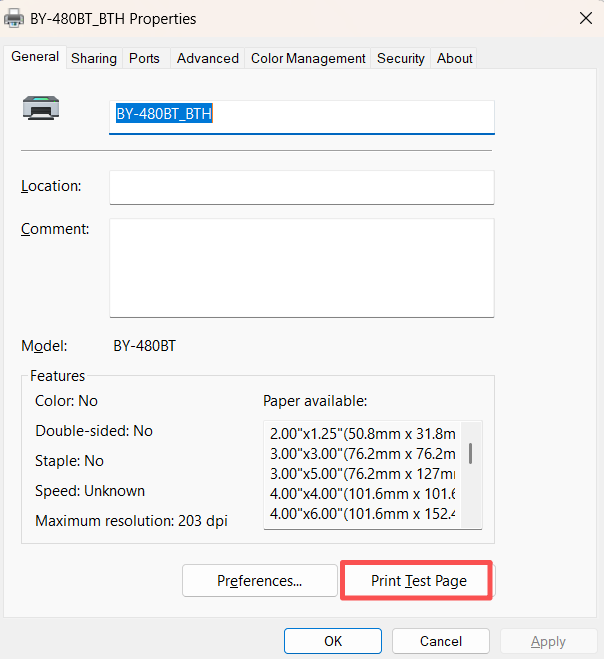
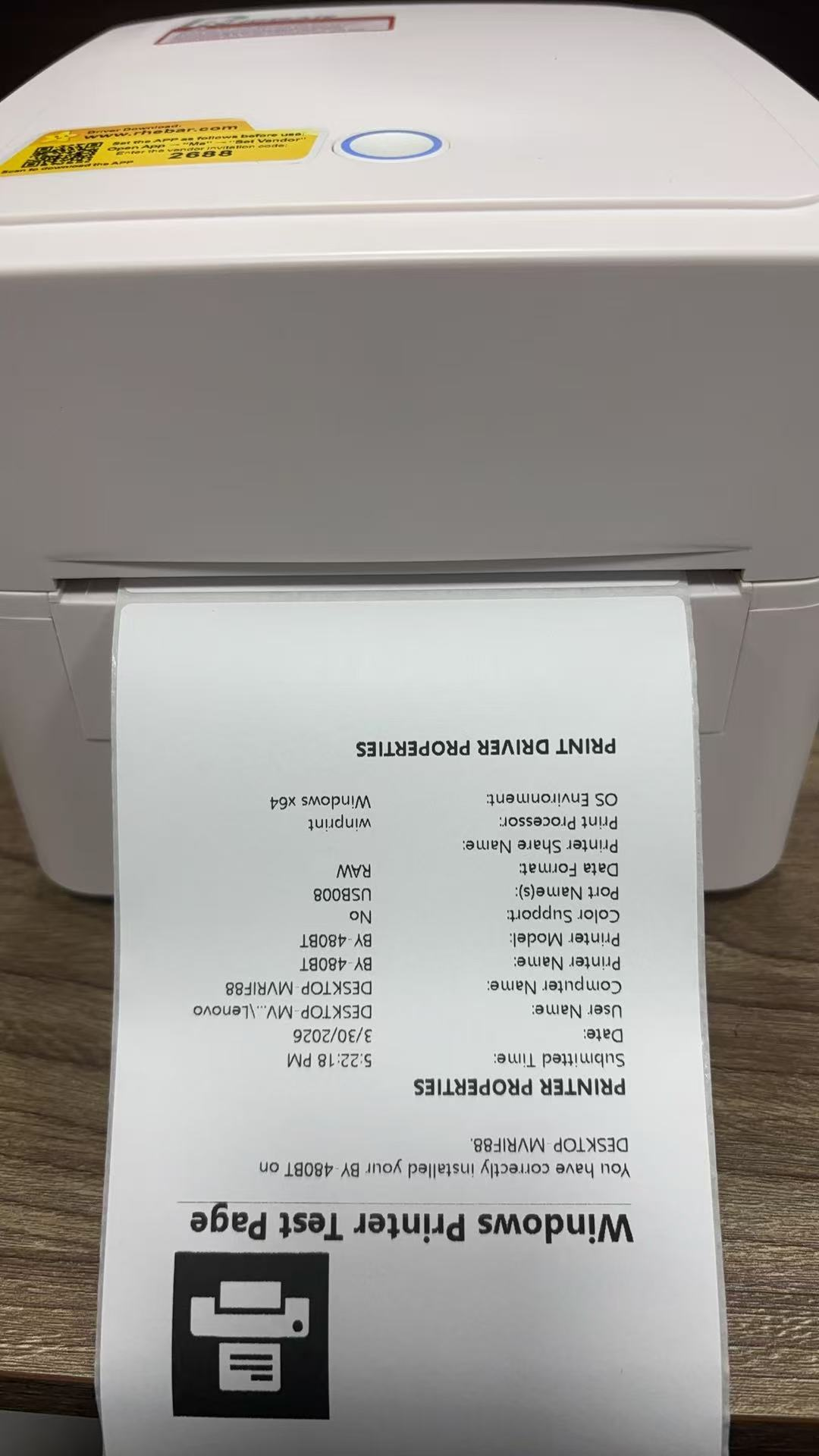
8. Sekarang, driver printer telah berhasil diinstal.Was this article helpful?
That’s Great!
Thank you for your feedback
Sorry! We couldn't be helpful
Thank you for your feedback
Feedback sent
We appreciate your effort and will try to fix the article